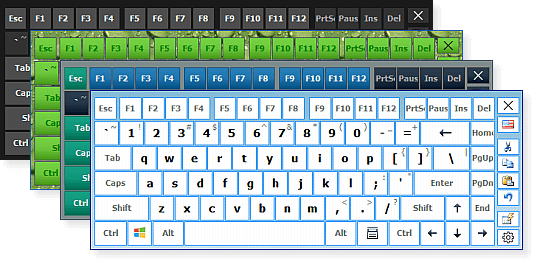
The keyboard is one of the most important input devices in modern technology. Whether attached to a computer, embedded in a laptop, or displayed on a smartphone screen, keyboards serve as the primary gateway through which humans communicate with digital systems. From casual typing and gaming to coding and professional content creation, the keyboard’s function remains irreplaceable despite rapid advancements in voice recognition and touch technology. This article explores the keyboard history, variations, design principles, and the reasons why it continues to thrive in the digital age.
The Origins of the Keyboard: A Journey from Typewriters to Computers
The keyboard’s story begins long before computers existed. It traces back to the typewriter, invented in the 19th century. Early typewriters featured mechanical arms that struck inked ribbons to print letters on paper. Their layouts were designed not just for efficiency, but also to prevent mechanical jams.
The Birth of QWERTY
The most widely used layout today — QWERTY — was designed in the 1870s. Contrary to popular belief, it was not necessarily optimized for speed but for mechanical spacing and prevention of stuck keys. Still, its familiar arrangement endured, becoming the standard for both mechanical typewriters and, later, computer keyboards.
Transition to Computing
By the mid-20th century, as computers emerged, engineers needed a familiar input method. The typewriter keyboard provided the perfect solution. Early computing keyboards were bulky, complex devices often attached to teletype machines. As technology evolved, the keyboard became electrical, then electronic, and eventually adopted by personal computers in the 1970s and 80s. Since then, its form factor has evolved dramatically, but its layout remains surprisingly consistent.
Types of Keyboards
Today’s keyboards come in a wide variety of types, each designed for specific needs and preferences.
1. Mechanical Keyboards
Mechanical keyboards use individual mechanical switches under each key. They are known for:
-
Long lifespan
-
Tactile feedback
-
Audible click (depending on switch type)
-
High precision
Mechanical switches come in categories such as tactile, clicky, and linear, with popular brands including Cherry MX, Gateron, and Razer.
2. Membrane Keyboards
Membrane keyboards use pressure pads instead of switches. They are:
-
Quiet
-
Affordable
-
Lightweight
However, they typically lack the responsiveness and durability of mechanical boards.
3. Scissor-Switch Keyboards
Common in laptops, scissor-switch keyboards use a stabilizing mechanism under each key. They are:
-
Low-profile
-
Quiet
-
Reasonably responsive
They strike a balance between membrane simplicity and mechanical feel.
4. Virtual and On-Screen Keyboards
On smartphones and tablets, keyboards are virtual, relying on touchscreens. They offer:
-
Customizable layouts
-
Predictive text features
-
Portability
However, they lack tactile feedback, which limits typing speed for many users.
5. Ergonomic Keyboards
Ergonomic keyboards are designed to reduce strain and promote natural hand posture. Variants include:
-
Split keyboards
-
Curved keyboards
-
Vertical keyboards
-
Adjustable angles and tenting
They are popular among professionals who type for long periods.
6. Gaming Keyboards
Gaming keyboards often feature:
-
RGB lighting
-
Programmable macro keys
-
Fast polling rates
-
Anti-ghosting and n-key rollover
Gamers rely on precise and rapid responses, making mechanical switches the preferred choice.
Keyboard Layouts: More Than Just QWERTY
While QWERTY dominates, it’s not the only layout in use.
1. QWERTY
The global standard. Familiar, easy to learn, and widely supported.
2. DVORAK
Designed for speed and efficiency by placing the most-used letters under the strongest fingers. Some typists report faster speeds and reduced fatigue.
3. Colemak
A modern, optimized layout that keeps many QWERTY positions for easier learning while improving efficiency.
4. AZERTY and QWERTZ
-
AZERTY is popular in France and Belgium.
-
QWERTZ is used in Germany and Central Europe.
These layouts adapt to linguistic needs, reflecting different alphabets and punctuation systems.
Key Switch Mechanisms: The Heart of the Keyboard
The feel of a keyboard is largely determined by the switch technology beneath each key.
1. Linear Switches
Smooth motion with no tactile bump. Popular among gamers for rapid keypresses.
2. Tactile Switches
A noticeable bump when actuated. Favored by typists for feedback and accuracy.
3. Clicky Switches
Produce a loud click sound. Loved by enthusiasts, frowned upon in quiet offices.
4. Rubber Dome
Used in budget keyboards. Require more force and offer little tactile feedback.
5. Optical and Hall-Effect Switches
Use light or magnetic sensors for fast actuation and extreme durability.
Switch choice affects comfort, performance, noise level, and overall typing experience.
The Modern Keyboard: Features and Technology
Today’s keyboards are far more advanced than their early counterparts. Many include:
1. Backlighting and RGB Effects
Useful in low light, popular in gaming setups, and fully customizable.
2. Wireless Connectivity
Bluetooth and RF wireless options reduce cable clutter and improve portability.
3. Hot-Swappable Switches
Allow users to change switches without soldering — a major trend in custom keyboard building.
4. Macro Programming
Lets users automate repetitive tasks with a single keypress.
5. Multi-Device Switching
Some keyboards can pair with multiple devices at once, switching between laptops, tablets, and smartphones instantly.
The Custom Keyboard Movement
In recent years, custom keyboards have exploded in popularity. Enthusiasts now build keyboards from:
-
CNC-milled aluminum cases
-
Premium keycap sets
-
Custom PCBs
-
Lubed and tuned switches
This hobby focuses on sound profile, typing feel, and aesthetics. The “thock” versus “clack” sound culture shows how deeply personal keyboards have become.
Why the Keyboard Still Matters
Despite touchscreens and voice input technologies, the keyboard remains irreplaceable for several reasons:
Speed and Precision
No input method matches a skilled typist’s speed or accuracy.
Comfort and Ergonomics
Proper hand placement reduces fatigue and injury.
Versatility
From gaming to coding to writing, keyboards adapt to every digital task.
Accessibility
Physical keyboards remain essential for users with various accessibility needs.
Conclusion
The keyboard is more than just a panel of keys. It is a critical tool shaped by decades of innovation, human behavior, and technological progress. Whether mechanical, membrane, ergonomic, or virtual, the keyboard continues to be the primary interface connecting people to machines.
In an age of constant digital communication, the keyboard remains indispensable — a testament to the enduring power of thoughtful design.